The Importance of Tech Gadgets in Home Offices
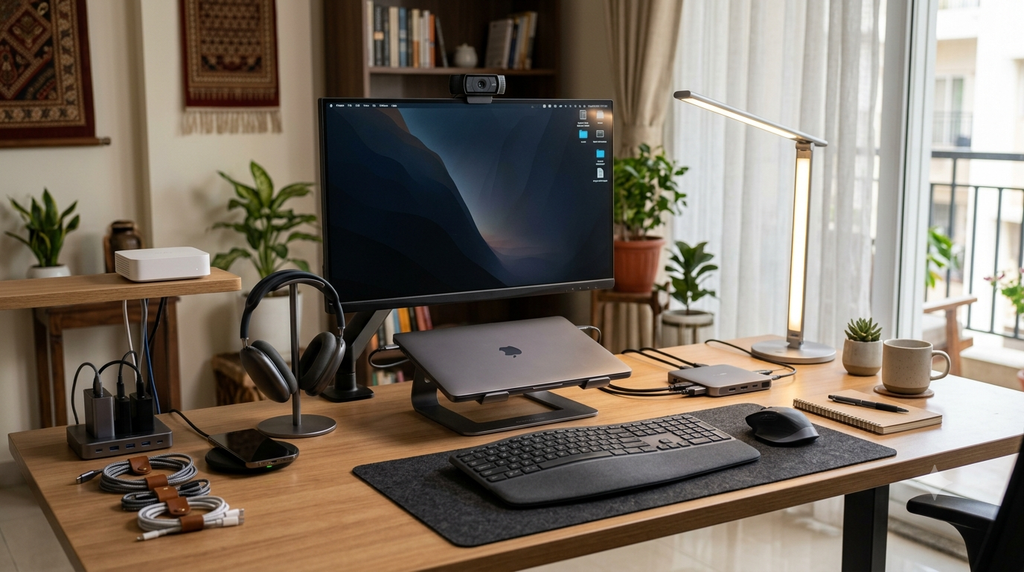
Working from home is much easier when your desk is equipped with the right technology. You don’t necessarily need an expensive workstation—some relatively affordable accessories can improve connectivity, organization, video calls and everyday productivity.
For this list, I’ve focused on practical gadgets available through Amazon.in, rather than novelty products. Amazon’s own home-office guidance highlights peripherals, monitors, webcams, networking equipment, storage, keyboards/mice and charging accessories as useful components of a home-office setup.
Criteria for Choosing Essential Gadgets
The right order depends on how you work.
For office workers:
Keyboard → Mouse → Laptop stand → Monitor
For remote meeting-heavy jobs:
Headset → Webcam → Monitor → USB-C hub
For creators:
Microphone → Webcam/camera → Monitor → USB-C hub
For unreliable Wi-Fi:
Router/mesh system should move much higher on your list.
Top 10 Essential Tech Gadgets
1. Wireless Keyboard
A good wireless keyboard is one of the simplest upgrades you can make to a laptop-based home office.
It gives you more flexibility in positioning your laptop or monitor and can make long typing sessions more comfortable.
One example is the Portronics Bubble 3.0 Wireless Keyboard, which supports Bluetooth and is designed for multiple-device use. Amazon’s listing describes a compact design and multi-device connectivity.
Portronics Bubble 3.0 Wireless Keyboard with Bluetooth
₹999 · Amazon.in + others
Why it’s useful:
- Wireless desk setup
- Compact design
- Multi-device connectivity
- Useful for laptops, tablets and PCs
Approx. price: ₹999
Best for: Writers, students, office workers and people who frequently switch between devices.
2. Wireless Mouse
Using a mouse instead of a laptop trackpad can make everyday tasks such as spreadsheets, browsing, photo editing and file management easier.
Look for a mouse with a comfortable shape, reliable wireless connection and reasonable battery life.
For example, Amazon currently lists wireless mice from brands including Acer and Logitech across different price ranges.
What to look for:
- Comfortable grip
- 2.4GHz wireless or Bluetooth
- Adjustable/appropriate DPI
- Quiet clicks if you share your workspace
- Long battery life
Typical budget: ₹400–₹2,000+
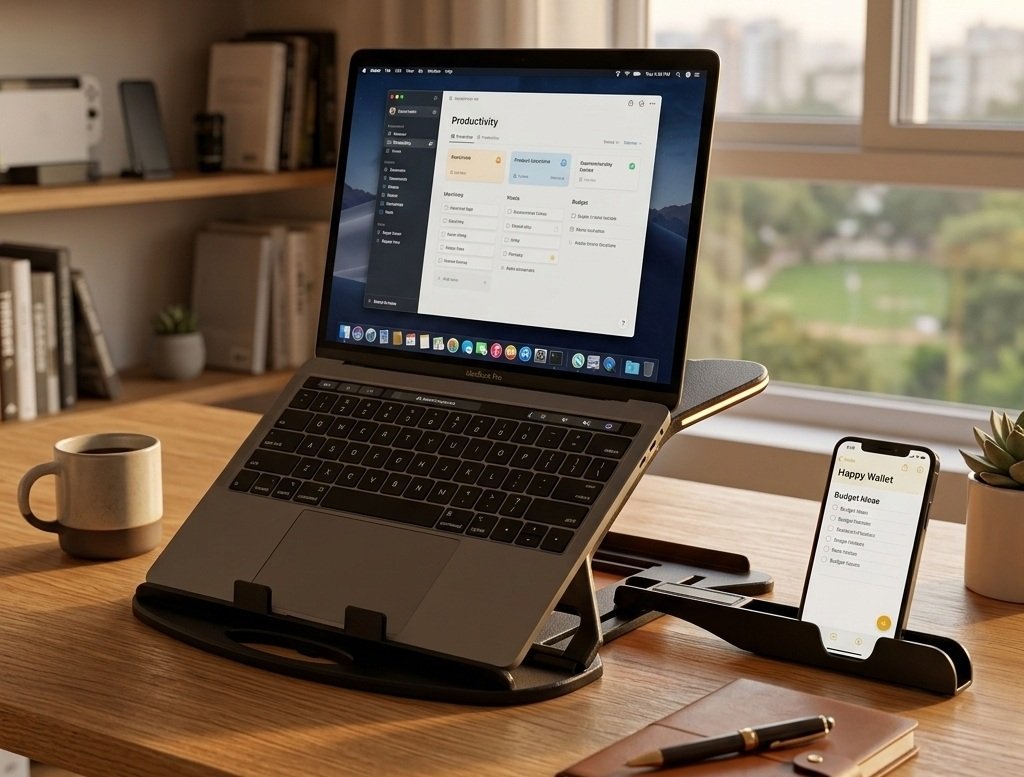
3. Laptop Stand
If you’re using a laptop for several hours every day, a laptop stand can be a useful desk accessory.
Raising the laptop screen can make it easier to position the display at a comfortable viewing height. It also leaves some additional space underneath the laptop for accessories.
Amazon Basics ABS 2-in-1 Laptop and Mobile Stand
₹399 · Amazon.in + others
Why it’s useful:
- Raises the laptop
- Saves desk space
- Can improve desk organization
- Can also hold a phone on compatible designs
Approx. price: ₹399
Tip: If you use a laptop stand with an external keyboard and mouse, you can create a much more desktop-like workstation.
4. USB-C Hub
Modern laptops increasingly use USB-C ports, while many accessories still use USB-A, HDMI or other connections.
A USB-C hub can therefore be extremely useful.
Amazon’s own business computer-accessories guide specifically highlights USB hubs and adapters as useful when laptops have limited ports.
A good hub might provide:
- USB-A ports
- USB-C
- HDMI
- SD/microSD card slots
- Ethernet
- Power delivery
Typical budget: ₹800–₹3,000+
Best for: MacBook users, ultrabooks and laptops with limited ports.
Buying tip
Don’t buy a hub simply because it has lots of ports. Check the supported USB speed, HDMI resolution/refresh rate and USB-C power-delivery wattage.
5. Full-HD Webcam
If you regularly attend Zoom, Google Meet, Microsoft Teams or other video meetings, a dedicated webcam can be worthwhile.
Many laptops already have webcams, but an external model can provide more flexibility in positioning.
Amazon Business specifically identifies HD webcams as useful home-office accessories and lists the Logitech C270 as an example.
Look for:
- 1080p resolution
- Automatic exposure
- Built-in microphone
- Adjustable mounting
- Privacy shutter if available
Typical budget: ₹1,000–₹5,000+
Best for: Remote workers, teachers, interviewers, YouTubers and freelancers.
6. Noise-Cancelling Headphones or Headset
Background noise can make online meetings frustrating, particularly if you work in a busy household.
A headset or headphones with good microphone performance can make conversations easier to manage.
For work calls, don’t focus only on ANC. Active noise cancellation primarily affects what you hear. For meetings, the microphone’s ability to reject background noise is equally important.
Look for:
- Comfortable ear cushions
- Good microphone
- Bluetooth/USB connectivity
- Multipoint support if you use multiple devices
- Long battery life
Typical budget: ₹1,500–₹10,000+
Best for: Frequent video meetings and shared homes.
7. External Monitor
An external monitor can be one of the most significant productivity upgrades for a home office.
Instead of constantly switching between windows on a laptop display, you can keep multiple applications visible simultaneously.
Amazon’s home-office guidance also identifies computer monitors as a core home-office electronic.
What size should you buy?
24-inch: Good for basic office work.
27-inch: A popular option for multitasking.
32-inch: Better if you want lots of screen space.
For most office work, a Full HD or QHD IPS monitor is a sensible starting point.
Typical budget: ₹7,000–₹30,000+
8. Wi-Fi Router or Mesh Wi-Fi System
Your home-office setup is only as reliable as your internet connection.
If your laptop regularly loses Wi-Fi or your office is far from the router, upgrading the networking setup can make a bigger difference than buying another desk accessory.
Amazon’s own home-office guidance describes an uninterrupted internet connection as fundamental to working from home and recommends modern routers and Wi-Fi extenders where appropriate.
Consider:
- Wi-Fi 6 or newer
- Gigabit Ethernet
- Good coverage
- Multiple-device handling
- Mesh support for larger homes
Typical budget: ₹1,500–₹15,000+
Important: A faster router cannot increase the internet speed supplied by your ISP beyond your plan’s capabilities.
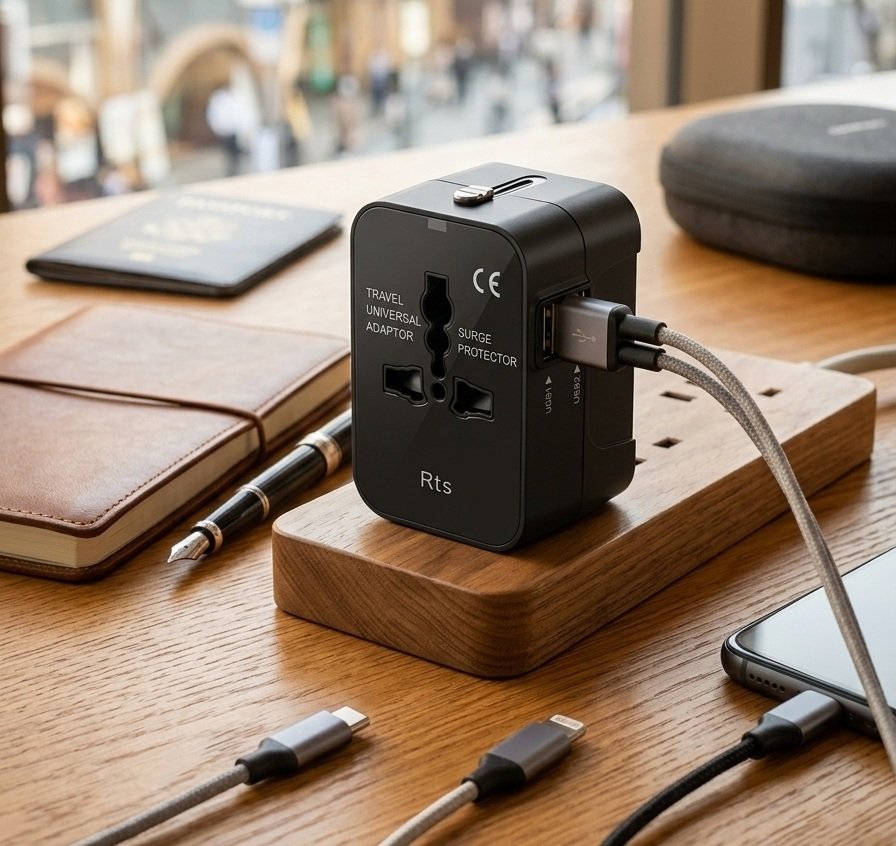
9. Surge Protector / Power Strip
This is one of the least exciting purchases—but potentially one of the most useful.
A home office can have several devices connected simultaneously:
Laptop + monitor + router + speakers + phone charger + printer + desk lamp
Instead of using multiple basic extension boards, choose a reputable power strip with appropriate protection and sufficient load capacity.
Look for:
- Overload protection
- Surge protection
- Properly rated sockets
- Good cable quality
- Child-safety shutters where appropriate
- Adequate power rating
Typical budget: ₹700–₹2,500+
Don’t overload it
Check the power rating before connecting high-power appliances such as heaters, kettles or irons.
10. Adjustable LED Desk Lamp
Good lighting is often overlooked when setting up a home office.
A desk lamp can help illuminate documents and your workspace, particularly when your desk isn’t positioned near good natural light.
Amazon’s own home-office guide recommends desk lamps when natural lighting isn’t sufficient and highlights adjustable lamps as useful for changing the height and angle of illumination.
Look for:
- Adjustable brightness
- Adjustable colour temperature
- Flexible arm
- Stable base
- Low-glare illumination
- USB or mains power
Typical budget: ₹500–₹3,000
Where to Buy These Gadgets
| Gadget | Typical Budget | Best For | Buy from Amazon |
|---|---|---|---|
| Wireless keyboard | ₹700–₹2,000 | Typing & productivity | Check Price On Amazon.in |
| Wireless mouse | ₹400–₹2,000 | Navigation | Check Price On Amazon.in |
| Laptop stand | ₹300–₹2,000 | Better desk setup | Check Price On Amazon.in |
| USB-C hub | ₹800–₹3,000 | Connecting peripherals | Check Price On Amazon.in |
| Full-HD webcam | ₹1,000–₹5,000 | Video meetings | Check Price On Amazon.in |
| Headphones/headset | ₹1,500–₹10,000+ | Calls & concentration | Check Price On Amazon.in |
| External monitor | ₹7,000–₹30,000+ | Multitasking | Check Price On Amazon.in |
| Wi-Fi router/mesh | ₹1,500–₹15,000+ | Reliable connectivity | Check Price On Amazon.in |
| Surge-protected power strip | ₹700–₹2,500 | Power management | Check Price On Amazon.in |
| LED desk lamp | ₹500–₹3,000 | Workspace lighting | Check Price On Amazon.in |
Final Thoughts
A productive home office doesn’t have to be expensive.
The most useful upgrades are usually the ones that solve a specific problem: a wireless keyboard and mouse for convenience, a laptop stand and monitor for a better workstation, a USB-C hub for connectivity, a webcam/headset for meetings and a reliable router for uninterrupted connectivity.
Amazon’s own home-office recommendations similarly emphasize computers, monitors, peripherals, webcams, networking devices, storage and charging accessories as key parts of a functional setup.
The best strategy is to identify the biggest limitation in your current setup and upgrade that first rather than buying every gadget at once.
Frequently Asked Questions
What are the most essential gadgets for a home office?
A wireless keyboard, wireless mouse, laptop stand, reliable Wi-Fi connection, good lighting and an appropriate monitor are among the most useful starting points.
Is a laptop stand really necessary?
It isn’t mandatory, but it can make a laptop-based workstation easier to organize. Pairing it with an external keyboard and mouse is particularly useful.
Do I need an external monitor for work from home?
Not necessarily. However, an external monitor can make multitasking considerably easier, especially when working with spreadsheets, documents and multiple browser windows.
Is a USB-C hub worth buying?
If your laptop has limited ports, a USB-C hub can be very useful. Check the hub’s data-transfer, display-output and power-delivery specifications before buying.
Should I buy a Wi-Fi extender or a new router?
It depends on the problem. If the router itself is outdated, replacing it may make more sense. If the router works well but some areas of your home have poor coverage, a mesh system or suitable extender may be more appropriate.
Disclosure: This article contains an affiliate link. If you purchase through the link, we may earn a commission at no additional cost to you.